
YouTube To WAV – What It Means, Benefits, And How It Works?
Audio comes in many different formats, and each one is designed for a slightly different purpose. Some formats focus on keeping file sizes small, while others are made to preserve more of the original sound. WAV belongs to the second group. It is a popular choice when audio quality matters more than saving storage space.
People who have audio content on YouTube may sometimes want to keep the sound separately from the video. This can be useful for listening, editing, studying, recording, or working with audio in another program. This is where the idea of youtube to wav comes in. It refers to converting the audio from a YouTube video into a WAV file.
Before looking at how this works, it is important to understand what WAV actually means, why it is different from other formats, and when it makes sense to use it.
What Does WAV Stand For?
WAV stands for Waveform Audio File Format. It is an audio file format originally developed by Microsoft and IBM. WAV files commonly store audio in an uncompressed form, which means the audio data is generally kept without the type of compression used by formats such as MP3.
Because WAV files can contain uncompressed audio, they are widely used in professional audio work. Music producers, sound designers, editors, broadcasters, and other audio professionals may use WAV when they need audio that can be edited without adding another layer of lossy compression.
A WAV file can contain different audio specifications, including different sample rates, bit depths, and channel configurations. This makes the format flexible enough for many recording and production tasks.
However, there is an important point to remember: converting a compressed YouTube audio stream into WAV does not magically restore quality that was already removed. The resulting file may be WAV, but its actual audio quality is still limited by the source.
Why Is WAV Different From MP3?
MP3 is designed to reduce file size. It does this by removing some audio information that is considered less noticeable to human hearing. This makes MP3 convenient for everyday listening and sharing.
WAV takes a different approach. An uncompressed WAV file can be much larger because it stores audio data without the same type of lossy compression.
The main differences can be understood simply:
- WAV: Larger files and commonly used for editing and production.
- MP3: Smaller files and convenient for storage and everyday listening.
- WAV: Better suited to repeated editing and processing.
- MP3: Better suited when storage space or quick sharing is important.
Neither format is automatically better for every situation. The right choice depends on what you plan to do with the audio.
Benefits of WAV Audio
There are several reasons why WAV remains useful even though many smaller audio formats are available.
High-Quality Audio Storage
WAV is commonly used for storing high-quality audio because it can preserve uncompressed audio data. This makes it a practical format for recording and production environments where maintaining the source material is important.
Better for Audio Editing
WAV files are especially useful when audio needs to be edited. Cutting, mixing, applying effects, adjusting levels, and making other changes is easier when working with a suitable high-quality source.
For example, someone creating a podcast or editing a voice recording may prefer WAV during the production stage and convert the finished result into another format later.
Useful for Professional Work
Many audio applications and production workflows support WAV. It is commonly used in music production, video editing, sound design, voice recording, and other areas where audio quality plays an important role.
No Need to Depend on a Video File
When only the audio is needed, keeping an entire video file may be unnecessary. A WAV file provides an audio-only version that can be opened in compatible media players and editing programs.
What Does YouTube to WAV Mean?
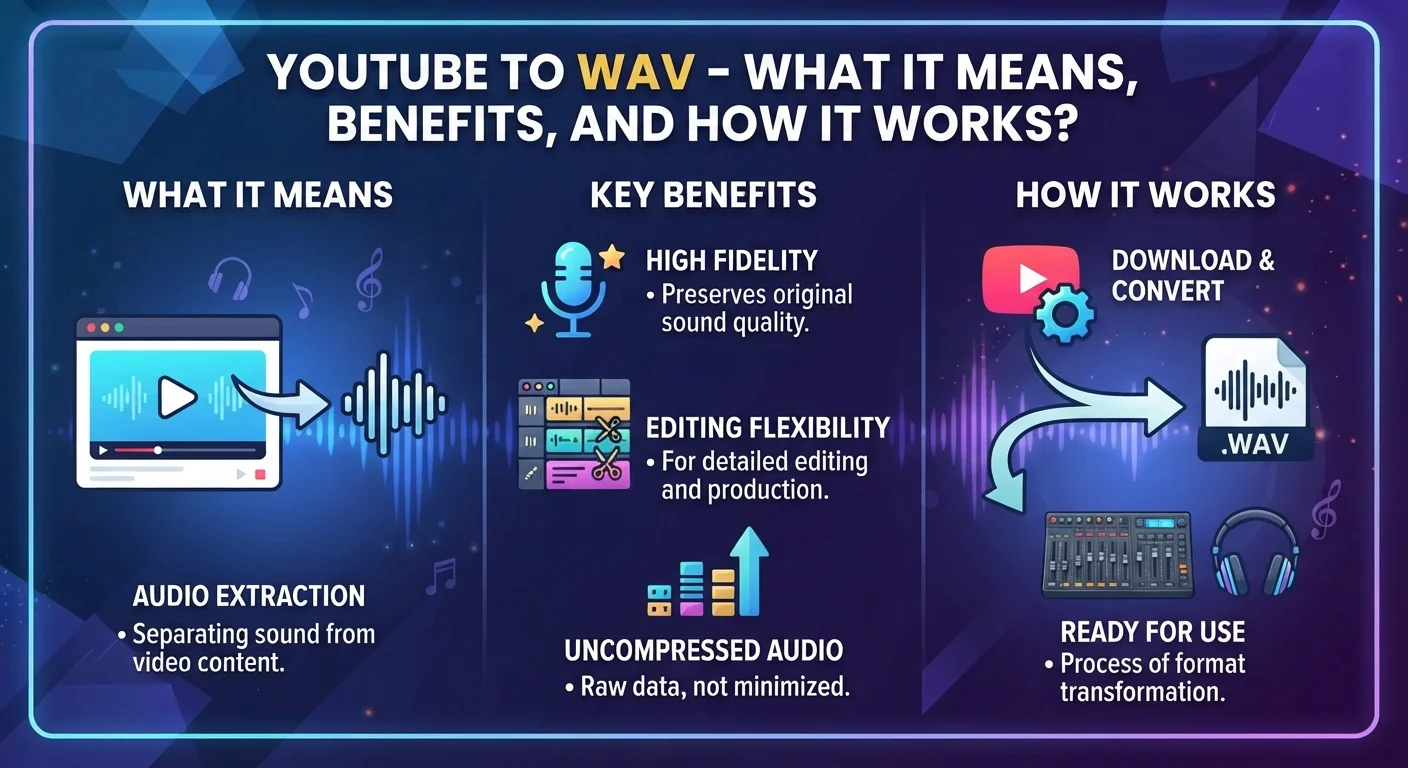
The term youtube to wav describes the process of taking the audio from a YouTube video and saving or converting it into a WAV audio file.
The process normally involves three basic stages. First, the source video is identified. Second, the audio stream is obtained from that video. Finally, the audio is saved or converted into the WAV format.
The exact process depends on the software or service being used. Some tools provide a simple interface where the user enters a video link and selects WAV as the output format. Other methods involve desktop applications or command-line software that provide more control over audio settings.
It is also important to respect copyright and platform rules. Audio should only be downloaded or converted when you have the necessary rights or permission to do so, or when the content is available for such use.
How to Turn a YouTube Video Into WAV?
The general conversion process is fairly straightforward.
1. Choose the Video
Start by finding the YouTube video that contains the audio you want to work with. It could be a music track, interview, lecture, podcast, tutorial, or another type of recording. Before saving or converting the content, make sure you have the right to use it. Copyrighted material should not be downloaded or reused without appropriate permission.
2. Use a Suitable Conversion Method
Once you have selected the video, choose a suitable and legitimate method for extracting its audio. Depending on your needs, you may use compatible desktop software, an audio or media conversion application, or another service that supports the required process. Different tools can offer different options, so choose one that is reliable and supports WAV output.
3. Select WAV as the Output Format
After choosing your conversion method, look for the output format or file type option and select WAV. Some applications may also provide additional settings, such as sample rate, bit depth, and audio channels.
If you are simply saving the audio for normal use, the default settings are usually sufficient. For editing or professional production, you may want to choose settings that match the requirements of your project.
4. Start the Conversion
With the video selected and WAV chosen as the output format, you can start the conversion process. The software will process the available audio and create a separate WAV file. The amount of time this takes can vary depending on the length of the video, the selected settings, your computer, and the software being used.
Longer videos and higher-quality audio settings may require more processing time and storage space.
5. Check the Finished File
Once the conversion has finished, locate the newly created WAV file and play it to make sure everything works correctly. Listen from the beginning and check whether the audio is complete, clear, and properly synchronized with the original source where applicable.
If the file will be used for editing, you can import it into an audio editor and make further adjustments such as trimming, volume control, noise reduction, or other processing.
Benefits of Converting YouTube Audio to WAV
Converting YouTube audio into WAV makes it easier to work with the sound separately from the video. The audio can be imported into editing software for trimming, volume adjustments, and other basic changes.
It can also be useful for interviews, lectures, podcasts, and other speech-based content. Keeping the audio separately makes it easier to organize, edit, and reuse when needed.
WAV files can also fit well into audio production workflows. They can be combined with voice recordings, music, sound effects, and other audio elements when creating a larger project.
Does Converting to WAV Improve Audio Quality?
This is one of the most important things to understand.
No, converting an already compressed audio source to WAV does not restore lost audio quality.
For example, if the original source has already been compressed, converting that audio into an uncompressed WAV container does not bring back information that was removed during the original compression process.
The benefit of WAV is mainly that it gives you an uncompressed format for further work. It can prevent you from introducing another lossy compression step during editing and production.
So, WAV can be a better working format, but it should not be viewed as a tool for magically increasing the quality of the original recording.
WAV File Size and Storage
One disadvantage of WAV is its file size. Uncompressed audio requires considerably more storage than compressed formats.
The size depends on factors such as duration, sample rate, bit depth, and number of audio channels. A long recording can therefore take up a significant amount of disk space.
This matters if you are storing many files or working with limited storage. In such situations, MP3 or another compressed format may be more convenient for ordinary listening.
For professional editing, however, the larger file size may be an acceptable trade-off for having an appropriate working format.
When Should You Use WAV?
WAV is a good choice when the audio will be edited, processed, mixed, or used as part of a larger production.
It can be useful for:
- Music production
- Podcast editing
- Voice recording
- Video post-production
- Sound design
- Audio restoration
- Professional recording projects
- Archiving important source material
If your only goal is to listen to an audio track on a phone or save space, a compressed format may be more practical.
Things to Consider Before Converting
Before using any youtube to wav method, consider the purpose of the file. If you only need casual listening, WAV may create unnecessarily large files.
You should also check the source quality. A poor-quality recording will remain poor-quality after conversion. Choosing WAV does not improve the original recording.
Most importantly, consider copyright and usage rights. Not every YouTube video is available for downloading, copying, or redistribution. If the content belongs to someone else, make sure your intended use is allowed before saving or sharing it.
Final Thoughts
WAV is a long-standing audio format that remains valuable because of its simple approach to audio storage and its usefulness in editing and production. Its larger file size can be a disadvantage for everyday listening, but it becomes less of a concern when quality and editing flexibility are the main priorities.
The youtube to wav process can be useful when you need audio separately from a video and want to work with it in an audio editor or production environment. However, the conversion itself does not improve the original sound. The quality still depends heavily on the source.
Understanding these differences makes it easier to choose the right format for your needs. WAV is not the best option for every situation, but when you need a suitable format for editing, processing, and high-quality audio workflows, it remains a practical choice.