My Katy Cloud – Complete Guide to Katy ISD’s Online Student Portal
For students and families in Katy Independent School District, having quick access to school resources can make everyday learning much easier. Instead of remembering separate websites and passwords for different educational tools, Katy ISD brings many of these services together through My Katy Cloud.
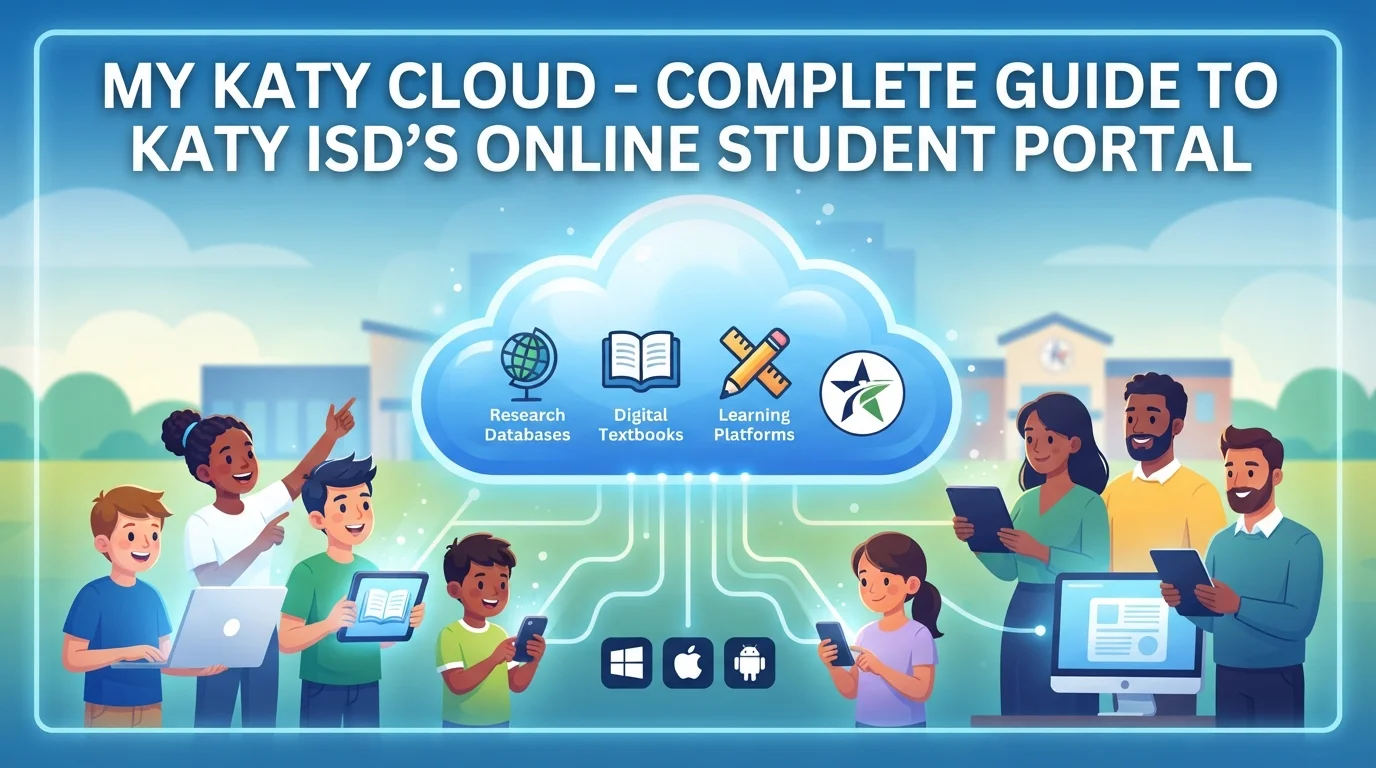
The platform works as a central online access point for students, parents, guardians, and staff. From learning platforms and digital textbooks to educational databases and other district applications, it helps users reach the tools they need from one place. Katy ISD also says the service can be accessed from anywhere with an internet connection and works across major operating systems, including Windows, iOS, and Android.
What Is My Katy Cloud?
My Katy Cloud is a web-based portal operated as part of Katy ISD’s technology system. Its main purpose is to give users a single sign-on location for district applications and educational resources.
The idea is simple: instead of visiting several different websites and entering your login information each time, you start from one central portal. Once signed in, many connected applications can open without requiring another login.
For example, Katy ISD explains that students and teachers can select Discovery Education from the portal and be automatically signed in. This makes the system especially useful when several digital tools are used during a normal school day.
The portal is not simply a place to check one piece of school information. It acts more like a starting point for a wider collection of digital services.
Who Can Use the Portal?
Access depends on the user’s role within Katy ISD. The district describes the portal as being available to staff, students, and parents or guardians. However, the resources displayed can differ according to the user’s account and role.
Students may use it to reach learning resources, digital textbooks, Canvas, educational programs, and library materials. Parents and guardians can use their district credentials to reach resources available to them, including Canvas and other family technology services.
This role-based approach means users do not necessarily see exactly the same collection of applications.
What Can Students Access?
One of the biggest reasons students use My Katy Cloud is the number of learning resources available through it. The exact selection can depend on grade level, courses, and district-provided services.
Some of the resources mentioned by Katy ISD include:
- Discovery Education
- EnVision
- BrainPOP
- Canvas
- Digital textbooks
- Online encyclopedias
- eBooks and audiobooks
- Library databases
- Other curriculum-related applications
Katy ISD’s library resources page also notes that students can find databases, online encyclopedias, eBooks, streaming video, and other resources through the cloud environment.
This is useful because students may need several different resources for research, homework, reading, or class assignments. Having them available from one starting point saves time and reduces the need to search for individual services.
How Does Single Sign-On Work?
The single sign-on feature is one of the most important parts of My Katy Cloud.
Normally, if you use five different educational websites, you might have to log into each one separately. A single sign-on system reduces that process by connecting approved applications with your district account.
After signing in to the portal, a student can select an available application and, where supported, be taken directly into that service.
This does not mean every website on the internet will automatically recognize a Katy ISD account. The feature applies to district-connected applications that have been configured for the system.
For students, that can make moving between different learning tools much smoother during the school day.
How to Log In?
Students generally use their Katy ISD ID number and password to access My Katy Cloud. Parents and guardians use the same ID and password associated with their Home Access Center account.
A basic login process looks like this:
- Open the Katy ISD MyKaty portal.
- Enter your Katy ISD ID or appropriate account credentials.
- Enter your password.
- Sign in to the portal.
- Choose the application or resource you need.
Parents should use their own credentials rather than their child’s student login when accessing parent services. Katy ISD specifically notes that parent access to Canvas uses the same username and password as Home Access Center.
My Katy Cloud and Canvas
Canvas is another important part of Katy ISD’s digital learning environment. It is a learning management system where teachers can provide course calendars, assignments, events, instructional materials, and other class resources.
Students can access Canvas through My Katy Cloud, while parents can access Canvas using their Home Access Center credentials. Depending on the course and teacher, Canvas may contain different types of class information.
Students may use Canvas for things such as:
- Checking course calendars
- Finding assignments
- Reviewing class materials
- Following course modules
- Viewing announcements
- Accessing other teacher-provided resources
The amount of material available can vary from one class to another because teachers and courses may use Canvas differently.
Digital Textbooks and Library Resources
Another useful part of the platform is access to digital learning material. Katy ISD provides students with online resources that can include textbooks, databases, encyclopedias, eBooks, audiobooks, and streaming content.
The district’s library information explains that students can access these resources through the cloud and that many resources are organized within an A+ Library Resources folder.
This can be particularly helpful when students are working on research projects. Instead of relying only on a general internet search, they can use school-provided databases and educational resources.
Digital access also means students can continue working with many of these resources outside the physical classroom, provided they have internet access.
Is It Available on Different Devices?
Yes. Katy ISD states that My Katy Cloud is compatible with major operating systems, including Windows, iOS, and Android. The district describes the service as available anywhere the user has internet access.
That gives students and families some flexibility in how they access school resources.
For example, a student might use:
- A school Chromebook during class
- A Windows computer for homework
- An iPhone or iPad when checking resources away from a computer
- Another supported device with an internet connection
The exact experience can vary depending on the device, browser, and application being opened.
What About Home Access Centers?
Home Access Center, commonly called HAC, is different from the cloud portal, although the two systems work together.
HAC provides parents and guardians with access to student information such as academic information and other school-related details. Katy ISD’s technology resources explain that parents use their HAC credentials when signing into MyKaty.
In simple terms, HAC is focused more on student and academic information, while the cloud portal provides access to applications and digital resources.
Keeping the distinction clear can make it easier for parents to understand which system they need for a particular task.
What If You Forget Your Password?
Password problems are one of the most common issues users can face with any school portal. Katy ISD provides different options depending on the type of account.
The district says students can contact their teacher for password assistance, while parents can use the Parent Help Desk or the available password self-service resources. High school students are also encouraged to register for Password Self-Service so they can later retrieve or change a forgotten password.
Katy ISD also provides a Family Technology Support Center for parents and students who need help with technology-related issues. The district’s technology department lists family support resources, password assistance, Canvas help, Home Access Center information, and other technology services in its Family Technology Resources section.
Why Is My Katy Cloud Useful?
The main benefit is convenience. Students today may use several digital platforms for different subjects and activities. Having a central place to start can make that process less confusing.
The biggest advantages include:
- One central starting point for school applications
- Single sign-on for many connected services
- Access from multiple types of devices
- Easier access to digital learning materials
- Connection to Canvas and other educational tools
- Access to online library resources
- Support for learning at school and at home
Katy ISD has also connected its broader technology program with student devices and digital learning. District reporting describes the portal as a way for students to access applications and educational resources from locations with internet access.
Getting Help With Technology
If something does not work, students and parents do not necessarily have to figure it out alone. Katy ISD maintains technology support resources covering common issues involving passwords, Canvas, Home Access Center, devices, and other digital services.
The district’s Family Technology Resources area brings several of these services together, including the MyKaty application portal, password assistance, Canvas, online safety information, Chromebook resources, and the Family Technology Support Center.
For students, the district also points users toward its knowledge resources for help with technology questions.
Final Thoughts
My Katy Cloud brings many parts of Katy ISD’s digital learning environment into one convenient place. Rather than treating every educational application as a separate service, the portal gives students, parents, and staff a central way to reach district-connected resources.
For students, that can mean easier access to Canvas, digital textbooks, research tools, and learning applications. For parents, it provides a starting point for accessing services connected to their child’s education. Its support for different devices also makes it practical beyond the school building.
The most important thing to remember is that the portal is an access point rather than a replacement for every Katy ISD service. Different tools still have their own purposes, but the cloud makes reaching many of them much simpler. For anyone using Katy ISD’s online resources regularly, understanding how My Katy Cloud works can save time and make the digital side of school life a lot easier.