Google Block Breaker – How the Game Works & How to Play?
Simple arcade games do not need complicated controls to be enjoyable. A paddle, a bouncing ball, and a wall of blocks are enough to create a game that is easy to understand but still requires timing and attention. That basic idea comes from the classic Breakout format, which Atari introduced in 1976.
The term google block breaker is now commonly used for browser-based versions of this style of game. It is also connected with Google’s long history of hiding playable games and interactive surprises inside Search. Google has itself referenced Atari Breakout among its Search Easter eggs.
What Is Google Block Breaker?
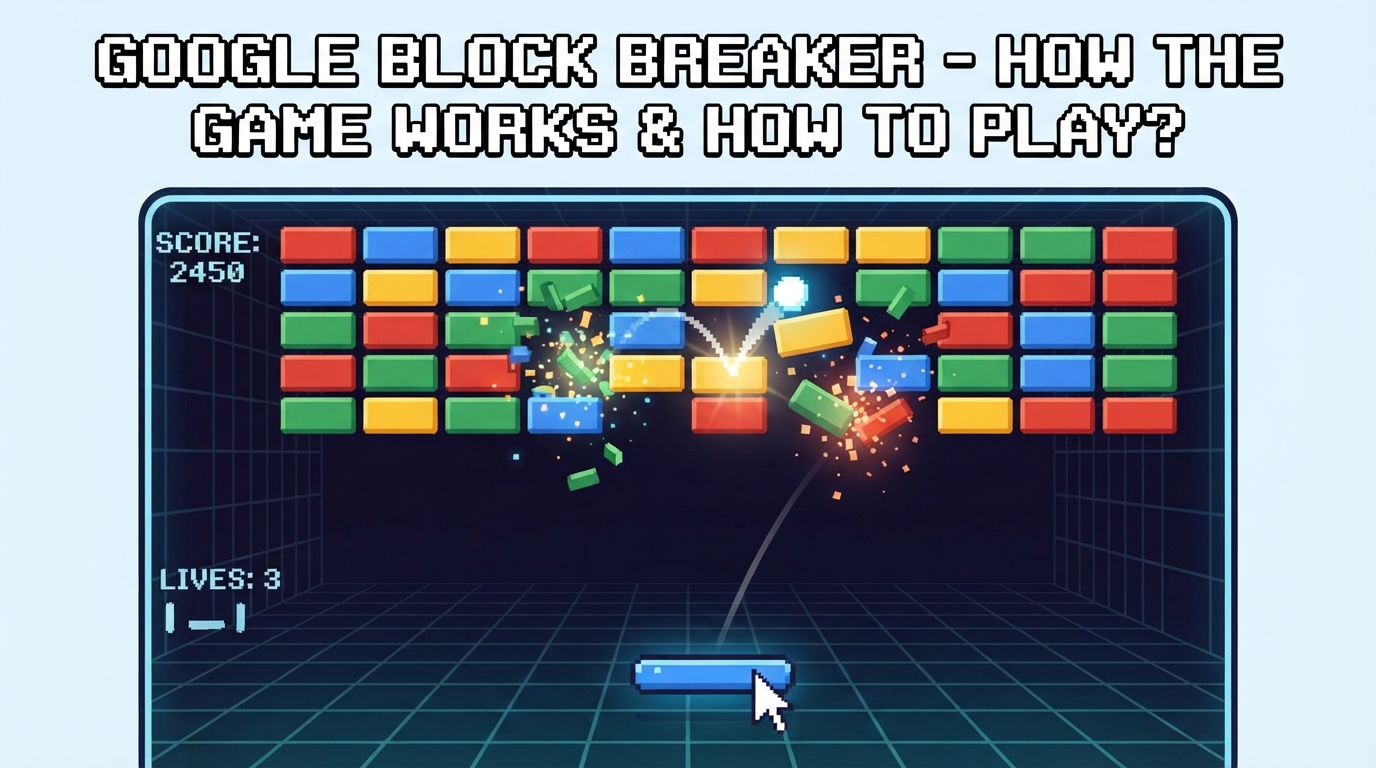
At its core, google block breaker refers to a brick-breaking arcade experience based on the same basic mechanics as Breakout. The player controls a paddle near the bottom of the screen and uses it to keep a ball moving around the play area.
The main objective is straightforward: destroy the blocks without allowing the ball to pass the paddle.
A typical round involves:
- Moving the paddle from side to side.
- Keeping track of the ball’s direction.
- Bouncing the ball back toward the blocks.
- Clearing the available blocks.
- Avoiding mistakes that cause the ball to fall.
The simplicity is part of the appeal. You can understand the basic objective almost immediately, but controlling the ball becomes more demanding as its movement becomes harder to predict.
How the Game Works?
The mechanics are easier to understand when separated into a few basic parts.
The Paddle
The paddle is the player’s main control. It normally moves horizontally along the bottom section of the game area.
Its purpose is to intercept the ball before it reaches the bottom edge. Moving the paddle into the correct position keeps the ball in play and sends it back toward the upper part of the screen.
Small movements can make a major difference. Moving too early can put the paddle away from the ball, while moving too late can cause the ball to pass through.
The Ball
The ball continuously travels around the play area, bouncing from surfaces and blocks.
Each successful bounce gives you another opportunity to hit blocks. The important part is watching the ball’s path rather than simply moving the paddle back and forth randomly.
As the ball moves faster, players have less time to react. This makes positioning and anticipation increasingly important.
The Blocks
Blocks form the main target of the game. Hitting them removes them or damages them, depending on the particular version being played.
The arrangement of blocks can affect the difficulty. A large open section may make the ball easier to follow, while remaining blocks around the edges can create difficult angles and unexpected rebounds.
How To Play The Game?
Playing a brick-breaking game does not require a complicated tutorial. The basic process can be learned within a few moments.
1. Start the Game
Open the available browser version and begin a new round. Depending on the version, controls may work with a mouse, keyboard, touchscreen, or a combination of these.
Because different recreations can use different interfaces, the exact launch control may vary.
2. Watch the Ball
Once the ball starts moving, focus on its direction.
Instead of concentrating only on the blocks, keep an eye on where the ball is going to return. This gives you more time to position the paddle.
3. Move the Paddle
Move the paddle horizontally until it is underneath the expected landing point of the ball.
The goal is not to follow every movement of the ball with the paddle. Good positioning means moving into place before the ball reaches the bottom.
4. Clear the Blocks
Each successful return sends the ball back toward the blocks. Continue protecting the bottom of the screen while allowing the ball to remove as many blocks as possible.
The round continues until the required blocks are cleared or the player runs out of available chances.
Controls You May Find
Controls depend on the specific browser implementation. Some versions support traditional keyboard controls, while others are designed around mouse or touch input.
Common options include:
- Left and right arrow keys for paddle movement.
- A and D keys in versions that use keyboard movement.
- Mouse movement for desktop controls.
- Touch dragging on supported mobile versions.
- Tap or click controls for launching or interacting with the game.
It is worth checking the controls shown by the version you are using rather than assuming every version works the same way.
Tips for Better Scores
Getting better at google block breaker is mostly about improving your control and understanding how the ball behaves. You do not need complicated strategies.
Watch the Return Path
The most important habit is predicting where the ball will come down.
If you wait until the last second, there may not be enough time to move the paddle. Watch the angle and start positioning early.
Use the Paddle Carefully
Try not to make unnecessary movements. Large, sudden movements can make it easier to lose track of the ball.
Small adjustments are often enough when the ball is approaching.
Pay Attention to Angles
The point where the ball hits the paddle can influence where it travels next in many versions of this game.
This means you can sometimes use the paddle position to influence the next direction instead of simply making a defensive return.
Clear Difficult Areas
When several blocks remain around the edges or corners, the ball can become harder to reach because of its changing angles. Try to clear these difficult areas instead of focusing only on the easy blocks in the center. Removing them can create a more open board and make the ball easier to track.
Stay Patient
Fast movement is not always better. As the ball gets quicker, watch its direction and move the paddle when necessary instead of constantly shifting it. Small, controlled movements can help you stay in position and avoid reacting too early.
Why This Game Is Easy to Pick Up?
One reason the Breakout formula has lasted for so long is that the rules are extremely simple. The player does not need to learn a large collection of buttons, characters, maps, or complicated objectives.
The entire gameplay loop can be understood through a few actions:
- Move the paddle.
- Bounce the ball.
- Break blocks.
- Keep the ball from falling.
- Continue until the board is cleared or the round ends.
That makes this type of game suitable for short sessions. Someone can play for a few minutes without needing to understand a long progression system first.
Is Google Block Breaker the Same as Atari Breakout?
They are closely related in gameplay concept, but the names should not automatically be treated as the same official product.
Atari Breakout is the original arcade game created by Atari in 1976. Google has also featured Atari Breakout as a Search Easter egg, and Google’s own pages have acknowledged it as one of its interactive Search experiences.
The phrase google block breaker is broader and is frequently used online for Google-related or Google-inspired brick-breaking browser experiences.
This distinction matters because many websites currently use similar names for their own playable recreations. Some versions add features such as power-ups, extra stages, mobile controls, or different visual designs. Those features are not necessarily part of an official Google game.
Google Block Breaker on Different Devices
Browser-based block-breaking games are generally designed to work across common screen sizes, but the experience can differ between devices.
- Desktop: A larger screen gives you more room to see the ball’s movement and react to its direction. Keyboard or mouse controls can also make paddle movement precise.
- Mobile: Touch controls can make the game more convenient when playing on a phone. However, the smaller screen gives you less visual space, so tracking a fast-moving ball can become more demanding.
- Tablet: A tablet provides a larger touch area while keeping the convenience of a portable device. It can be a comfortable middle ground for this style of game.
The exact compatibility depends on the particular version or site being used.
Final Thoughts
Google block breaker is best understood as part of the long-running brick-breaking game tradition rather than as a complicated modern gaming experience. Its basic formula remains easy: control a paddle, keep the ball in play, and destroy the blocks above it.
The concept goes back to Atari’s Breakout, while Google has incorporated Atari Breakout into its collection of Search Easter eggs.
For players who enjoy quick browser games, the format works because it requires almost no learning time. The challenge comes from timing, positioning, and gradually reacting to a faster or more difficult game board.